3rd time compiling the core on Windows (Windows build) with Docker and I’m starting to get the hang of it now. I do the whole process from a VM running up-to-date Win10.
Here’s what I do (not saying it’s the best or most straightforward way but it’s what worked for me)
- Delete the folder of the previous goosestation folder.
- Create new folder someplace like C: called ‘goose’ (can be anything, really)
- Start Docker
- Start cmd
- In cmd, navigate to ‘goose’ folder (“cd…” (‘cd two dots’) to go back one level ‘cd name_of_folder’ to go down a level)
- Copy paste into cmd the following lines (enter each lines separately by pressing enter each time of course)
git clone https://codeberg.org/hueponik/goosestation-builder.git
cd goosestation-builder
docker build -f Dockerfile.windows -t goosestation-builder-windows .
This is where I had trouble: Instead of entering:
docker run --rm -v “$PWD/dist:/work/dist:Z” goosestation-builder-windows windows
Which gave an error, I had to use this instead:
docker run --rm -v “%cd%/dist:/work/dist:Z” goosestation-builder-windows windows
edit:
For hueponik
There’s a visual issue in some games.
Air Management '96 (Title screen)
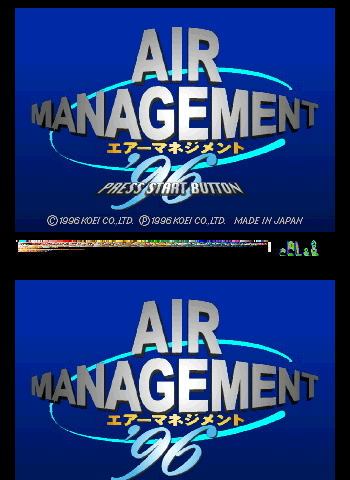
In Swanstation where the bug doesn’t show up:

Also with R4: Ridge Racer Type 4 (2nd/Bonus Disc - Loading mini game just before starting)
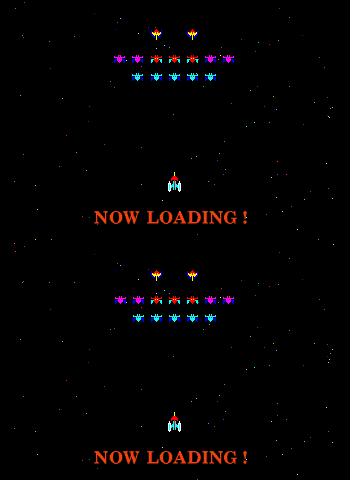
With Swanstation:
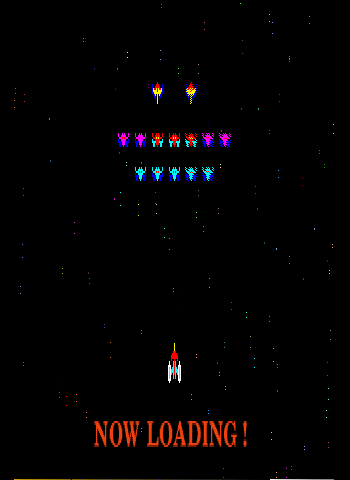
This only occur when using the software renderer. Not the gl or vulkan one. It appears to occur only when the game is using the PSX’s “double vertical/height resolution” mode or whatever it’s called.
I tested other games using this mode like Mr Driller
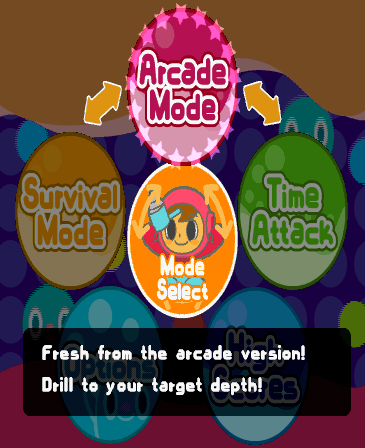
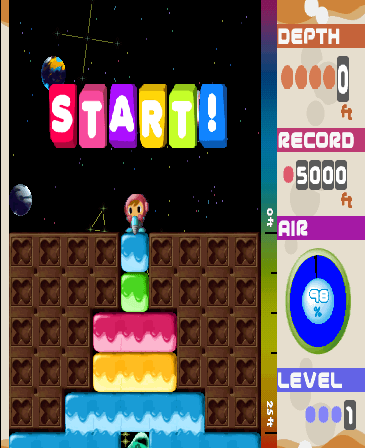
and they don’t exhibit the bug with the software renderer so I don’t know what causes the doubling up visual glitch in some games and not others.

