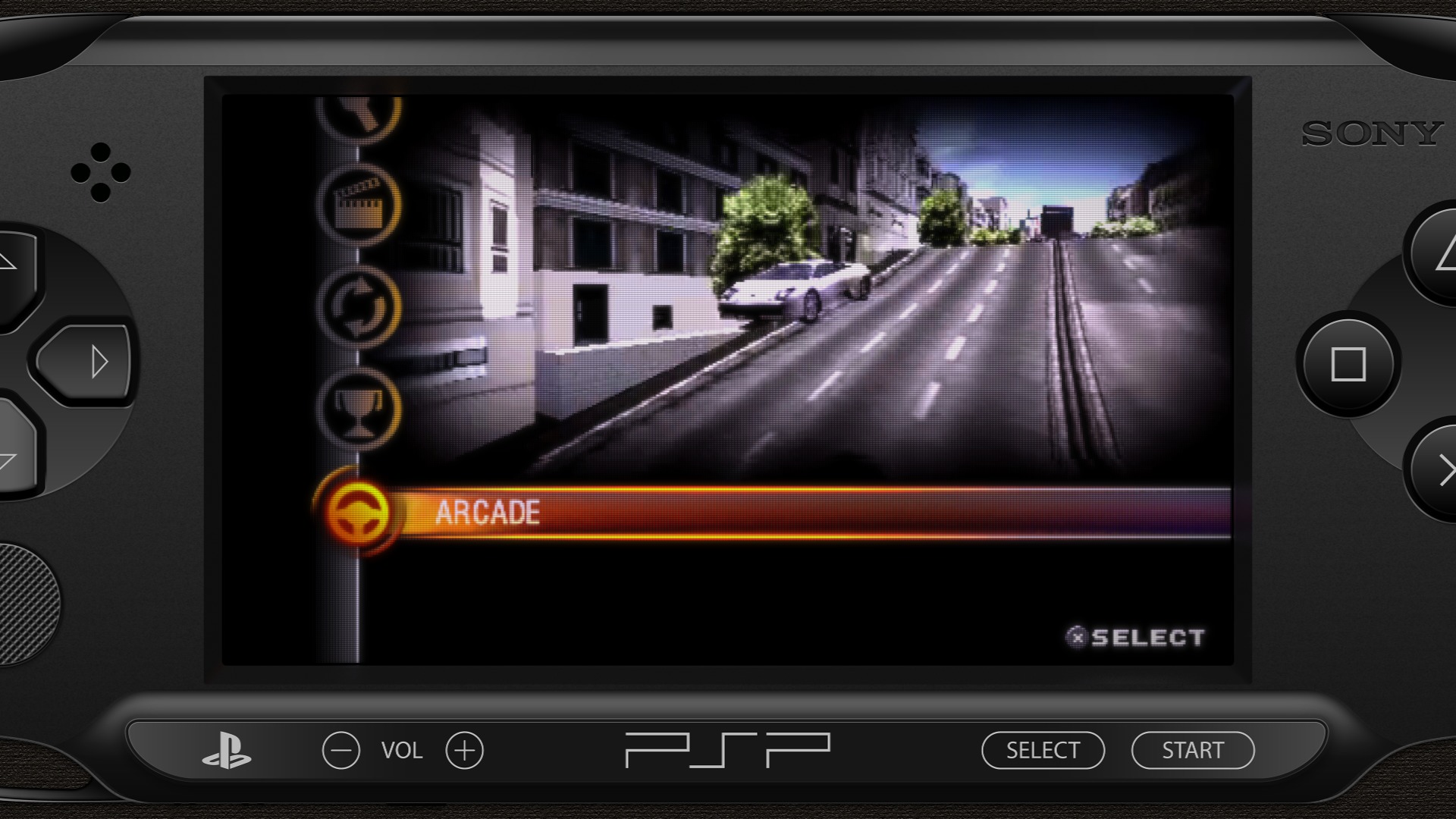
Duimon - HSM Mega Bezel Graphics and Presets - Feedback and Updates

What you are seeing is moire, and unintentional.

I am not seeing it on my display at 4K or 1080.

What @hgoda90 suggested is essentially the same as turning up the internal resolution.

What I am noticing is that the screen is larger and more of the console is off screen. Have you adjusted the non-integer scale?

I can’t guarantee how this will affect moire. (I am using fake integer scaling.) In this case I would turn off scanlines and masks like I suggested.

2 Likes

@Drybonz’ screenshot is 1440p. So depending on what resolution the graphics, CRT effect and scaling settings were optimized for, those same settings may not work optimally at other resolutions, especially 1440p. So the scale and CRT Mask setting might need to be adjusted to something more appropriate for 1440p.

For example, you can use Mask 10, size 1. Then the Non-Integer Scale might need to be refactored for 1440p. You can temporarily switch integer scale mode to 1 then adjust the integer scale offset until you get a scale percentage that eliminates the moire pattern, then switch back to non-integer scale and try to match the integer scale percentage.

Lastly, instead of increasing the number of scanlines, you can increase the scanline gamma which would lighten the scanlines a bit which can help to get rid of that last bit of moire.

The concept of a one size fits all when it comes to these things and different resolutions still needs a bit of work to get right. It’s not a matter of simply adjusting the mask size at different resolutions, the mask types should also be automatically adjusted or have an auto setting which would switch to an optimal mask for the different resolutions while maintaining a similar TVL.

The scale might also be able to automatically adjusted when using integer scale or fake integer because it doesn’t seem to remain constant across all resolutions.

1 Like

The reason this might get rid of the issue is that when you increase the scanline multiplier it goes over the interlacing threshold limit which turns off scanlines.

3 Likes

I think @Drybonz is using the PSP_DREZ shader preset, which uses MBZ__3__STD__LCD-GRID__DREZ-PSP-480x272.slangp, and has Viewport Zoom set to 110.

1 Like

Thanks for all the replies, everyone. My monitor is, in fact, 1440. The specific shader I’m using is the PSP-[DREZ]-[Native]-[ADV]-[Guest]. I’m going to read through these suggestions and see if I can tweak out the moire lines. If anyone else has other suggestions, let me know. Thanks!

2 Likes

This shader is only intended for use with increased internal resolution.

Try the non DREZ version. There is no good reason to use the DREZ if you aren’t increasing the internal core resolution.

I’ll have to give the DREZ a spin at 1080 and see what I see.

3 Likes

@Drybonz

Try this preset.

#reference ":/shaders/Mega_Bezel_Community/Duimon-Mega-Bezel/Presets/Advanced/SONY_PSP_DREZ/PSP-[DREZ]-[Native]-[ADV]-[Guest].slangp"
HSM_NON_INTEGER_SCALE = "75.370117"
HSM_DEVICE_FOLLOW_LAYER = "1.000000"
HSM_DEVICE_SCALE = "119.799698"
HSM_DEVICE_POS_Y = "-5.450003"

This is faking integer at 1440.

1 Like

Ah… I see. Is that the case for all the DREZ presets?

2 Likes

I switched to the non-DREZ version and that did the trick. Looks great and no moire.

Before that, though, I did try the preset you pasted, above… it looked better on the DREZ, but instead of many small lines of moire, there were maybe two wide ones.

However, the non-DREZ version has solved this for me. Thanks, everyone, for the help. On a side note, thanks for all these many shaders to play with. This has really been a nice boost for my love of emulation and gaming nostalgia.

edit Looking at this now, I remember why I had used the DREZ. The non-DREZ version was lines and the DREZ looked like a grid.

4 Likes

Yes. From the second post in the forum…

Glad you got it working.

On a related note, it seems I don’t have the PSP set up to scale with the screen. I can’t remember if I did this to discourage scaling or if it was just a lapse in my preset creation.

Since the regular is now using Guest I may need to rethink this, as there is no longer a reason to discourage scaling.

5 Likes

You can get a convincing grid using the Easymode CRT base preset. Try this.

#reference ":/shaders/shaders_slang/bezel/Mega_Bezel/Presets/Base_CRT_Presets/MBZ__1__ADV__EASYMODE.slangp"
HSM_ASPECT_RATIO_MODE = "4.000000"
HSM_NON_INTEGER_SCALE = "69.170212"
HSM_SCREEN_POSITION_Y = "36.000000"
HSM_CURVATURE_MODE = "0.000000"
HSM_BZL_WIDTH = "75.000000"
HSM_BZL_HEIGHT = "75.000000"
HSM_BZL_NOISE = "10.000000"
HSM_BZL_HIGHLIGHT = "0.000000"
HSM_FRM_OPACITY = "0.000000"
HSM_FRM_INNER_EDGE_THICKNESS = "0.000000"
HSM_BG_SCALE_KEEP_ASPECT = "0.000000"
HSM_BG_FILL_MODE = "1.000000"
HSM_BG_MIRROR_WRAP = "0.000000"
HSM_LED_OPACITY = "0.000000"
HSM_DEVICE_FOLLOW_LAYER = "0.000000"
ESM_SCANLINE_STRENGTH_MIN = "0.300000"
ESM_SCANLINE_STRENGTH_MAX = "0.250000"
ESM_MASK_TYPE = "1.000000"
ESM_MASK_SIZE = "2.000000"
ESM_MASK_STRENGTH_MIN = "0.300000"
IntroImage = ":/shaders/Mega_Bezel_Community/Duimon-Mega-Bezel/Graphics/_Backgrounds/Duimon_OSD.png"
BackgroundImage = ":/shaders/Mega_Bezel_Community/Duimon-Mega-Bezel/Graphics/SONY_PSP/Canvas_Background.jpg"
DeviceImage = ":/shaders/Mega_Bezel_Community/Duimon-Mega-Bezel/Graphics/SONY_PSP/PSP_Wide.png"
2 Likes

Duimon, I am not sure if it is relevant to your project and maybe I am completely out of the line but I would like to bring to your attention, if you don’t know about it already, the work of Floatinyeti on the Hyperspin forum. He is proposing a lot (around 70 !) of full setups, mainly using retroarch, covering many “exotic” computers or consoles and bringing them to light. He has also posted a few tutorials like this one to help people understand the intricaties of Retroarch : https://hyperspin-fe.com/forums/topic/43353-ongoing-retroarchmame-software-list-project/?tab=comments#comment-331095

Your work on the Coleco Adam is amazing. Everything coleco is dear to my heart and brings a lot memories from my childhood !

4 Likes

It is very relevant! Right away I see some systems that will have to be added to my MAME list.

I will need to do a bit of research though since it appears there are a lot of clones in his list…

Rowtron Television Computer System = Interton VC 4000

Soundic Victory = RCA Studio II.

Most of the info in his tutorials can be found in the Software list XML files but there are a few helpful hints. He also doesn’t get into systems that require autoboot switches or scripts, or illustrate adding needed peripherals or memory to SL systems.

Still… a great resource that I will make use of.

Thank you!


Just so everyone knows… anything I add to the list will be done after I spend the time on the Batocera decorations.

3 Likes

You are right about that and he was clear about it. I think it’s nice to have those clones available however. You know for sure that the Magnavox Odyssey II was called the Philips Videopac in Europe. I had one and that’s the way I remember it. It was quite recurrent in the 70’s to import US consoles in Europe under a new brand and name.

I am planning to install a Batocera build in my Steam Deck, I can’t wait to see your work !

I get that, but a clone is not the same thing as a European version of a console. (The Super Famicom is not a clone of the SNES)

In any case, my point was not to devalue his work, but to say that since I am doing the Interton VC 4000 etc. it is unlikely I will do a graphic for the clones.

1 Like

I fully understand and my intention was definitely not to ask you for new bezels, I wouldn’t dare as you have done so much already and still have quite a lot to do as it seems.

Your amazing mega bezels and Floatingyeti work are the 2 reasons why I recently fell in love with Retroarch which I never thought I would just a few months ago.

1 Like

Whether you intended to or not, the nature of this project makes it never ending.

I will be adding quite a few, thanks to the link you posted. :grin:

1 Like

Here is a surprise WIP.

The CHIP-8 virtual console.

The resolution is really small so I decided to do something fun and make a key-chain console. :grin:

I also decided to have some fun with the colors. Of course you may change them if you like.

The buttons are pink by default so you will need to use bright colors. (De-saturating them with wash out all the details.)


I have also done TV7 style graphics for the Craft, VaporSpec, Super Bros War, and ChaiLove cores. The ChaiLove and VaporSpec are not much more than demos ATM. If content matures I will consider doing dedicated graphics for them.

If that happens, the ChaiLove will benefit from the FluidVision feature since the aspect ratio is game driven so there is no set PAR. (For the time being I have set the aspect to 1:1 to accommodate the Floppy Bird demo.)

I also spent some time with the TV7 Wood version and will be adding it to the repo.

I will be doing the Epoch Super Cassette Vision before I do an update to keep my versions in line for a 1.0 release.

10 Likes

Here is a curated list of systems I will be doing after v1.0.

  • Bandai RX-78 Gundam
  • Bandai Super NoteClub
  • Bandai Super Vision 8000
  • Casio PV-2000
  • IBM PCjr
  • M&D Monon Color
  • Nintendo Family Basic
  • NEC PC-6001
  • PDP VG Pocket
  • Sharp MZ-2500
  • Sord M5
  • Timetop Gameking
  • Ultimate Products Zone

The PDP VG Pocket Series has 6 handhelds. The Pocket Dream console has many versions also and I did only one graphic. I may just do the PDP VG Pocket Max.


On a side note…rumor has it that two new cores may be added soon. One is the Epoch Super Cassette Vision. :innocent:

9 Likes

Hi Duimon!

It’s been a while since my last activity here and you’re still doing wonders as always! :metal: :sunglasses: :metal:

I was trying to catch up with the latest updates and I noticed some small preset issues here and there and wanted to report.

  • Acorn Electorn: Presets with ‘Monitor’ fails to load except Potato ones.

  • Acorn Archimedes: Presets with ‘Monitor’ fails to load with Advanced and Standard ones.

  • GCE Vectrex: All presets fails to load (Advanced, Standard, Lite, Potato). With the latest Mega Bezel is updated to V1.5.0_2022-10-11, I am now able to load presets one by one from the path below thanks to @HyperspaceMadness for GLCore Compilation fix;

    RetroArch\shaders\Mega_Bezel_Community\Duimon-Mega-Bezel\Presets\Standard\GCE_Vectrex

However, the method we used to get along with Vectrex by adding game basis presets into config folder doesn’t seem to be working anymore?

This is what log prints for the issue:

[INFO] [Shaders]: Specific shader preset found at "E:\SteamLibrary\steamapps\common\RetroArch\config\VecX\Bedlam (USA, Europe).slangp".
[WARN] [Shaders]: Could not read shader preset in #reference line: "E:\SteamLibrary\shaders_slang\bezel\Mega_Bezel\Presets\Base_CRT_Presets\MBZ__3__STD__GDV.slangp".
[INFO]
[WARN] [Shaders]: Could not read root preset: "E:\SteamLibrary\steamapps\common\RetroArch\config\VecX\Bedlam (USA, Europe).slangp".

As always, I have copied Vectrex presets to this path :point_down:

RetroArch\config\VecX

Also added Vectrex specific graphics into Graphics folder in this path :point_down:

RetroArch\config\VecX\Graphics

-Tried multiple solutions such as placing graphics into different paths but still no luck.

-I’m using nightly build of RetroArch 1.11.1 version.

-Tried on clean install of stable RetroArch 1.11.1 version but got the same result.

-I’m using your latest presets update from the repo which is the v0.9.6.0.

1 Like