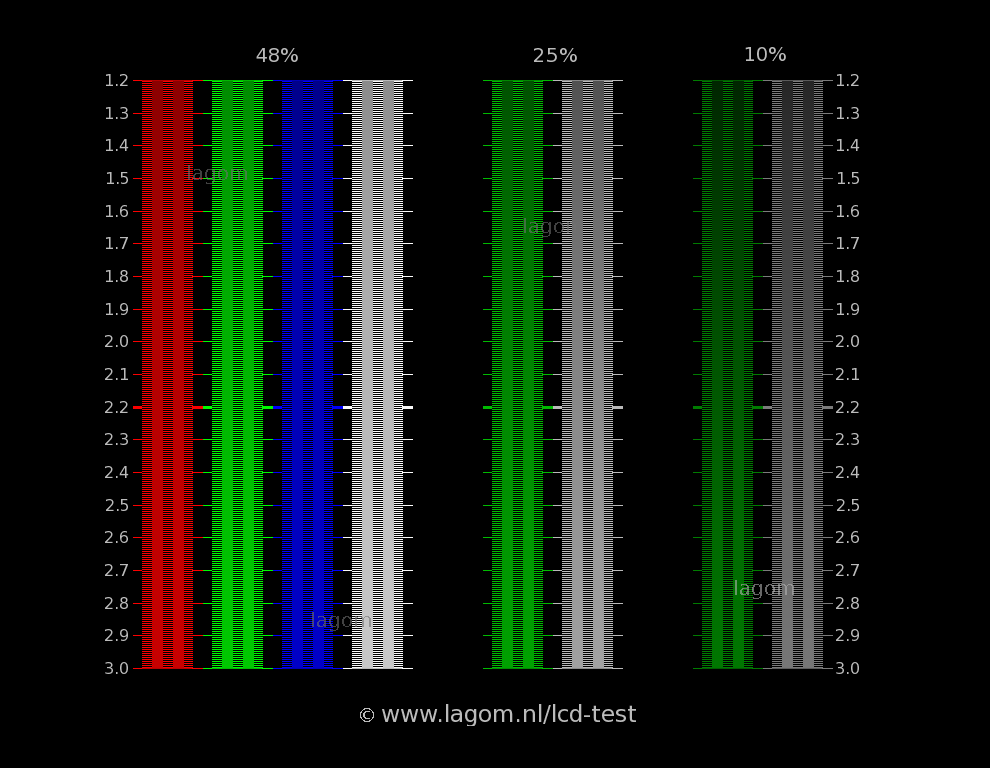
That looks great. I’ve been using this screen as a sharpness test - both of Mario’s eyes should be “solid” black. Also the vertical lines, etc. Can it pass?
These are the settings I’m currently using for guest-advanced-ntsc, using an HDR1000 MiniLED with local dimming enabled.

For comparison’s sake
shaders = "19"
feedback_pass = "0"
shader0 = "shaders_slang/misc/shaders/grade-no-LUT.slang"
alias0 = ""
wrap_mode0 = "clamp_to_border"
mipmap_input0 = "false"
float_framebuffer0 = "false"
srgb_framebuffer0 = "false"
scale_type_x0 = "viewport"
scale_x0 = "1.000000"
scale_type_y0 = "viewport"
scale_y0 = "1.000000"
shader1 = "shaders_slang/crt/shaders/guest/advanced/stock.slang"
alias1 = ""
wrap_mode1 = "clamp_to_border"
mipmap_input1 = "false"
filter_linear1 = "false"
float_framebuffer1 = "false"
srgb_framebuffer1 = "false"
scale_type_x1 = "source"
scale_x1 = "1.000000"
scale_type_y1 = "source"
scale_y1 = "1.000000"
shader2 = "shaders_slang/crt/shaders/guest/advanced/stock.slang"
alias2 = "StockPass"
wrap_mode2 = "clamp_to_border"
mipmap_input2 = "false"
filter_linear2 = "false"
float_framebuffer2 = "false"
srgb_framebuffer2 = "false"
scale_type_x2 = "source"
scale_x2 = "1.000000"
scale_type_y2 = "source"
scale_y2 = "1.000000"
shader3 = "shaders_slang/crt/shaders/guest/advanced/afterglow0.slang"
alias3 = "AfterglowPass"
wrap_mode3 = "clamp_to_border"
mipmap_input3 = "false"
filter_linear3 = "true"
float_framebuffer3 = "false"
srgb_framebuffer3 = "false"
scale_type_x3 = "source"
scale_x3 = "1.000000"
scale_type_y3 = "source"
scale_y3 = "1.000000"
shader4 = "shaders_slang/crt/shaders/guest/advanced/pre-shaders-afterglow.slang"
alias4 = "PrePass0"
wrap_mode4 = "clamp_to_border"
mipmap_input4 = "false"
filter_linear4 = "true"
float_framebuffer4 = "false"
srgb_framebuffer4 = "false"
scale_type_x4 = "source"
scale_x4 = "1.000000"
scale_type_y4 = "source"
scale_y4 = "1.000000"
shader5 = "shaders_slang/crt/shaders/guest/advanced/ntsc/ntsc-pass1.slang"
alias5 = "NPass1"
wrap_mode5 = "clamp_to_border"
mipmap_input5 = "false"
filter_linear5 = "false"
float_framebuffer5 = "true"
srgb_framebuffer5 = "false"
scale_type_x5 = "source"
scale_x5 = "4.000000"
scale_type_y5 = "source"
scale_y5 = "1.000000"
shader6 = "shaders_slang/crt/shaders/guest/advanced/ntsc/ntsc-pass2.slang"
alias6 = ""
wrap_mode6 = "clamp_to_border"
mipmap_input6 = "false"
filter_linear6 = "true"
float_framebuffer6 = "true"
srgb_framebuffer6 = "false"
scale_type_x6 = "source"
scale_x6 = "0.500000"
scale_type_y6 = "source"
scale_y6 = "1.000000"
shader7 = "shaders_slang/crt/shaders/guest/advanced/ntsc/ntsc-pass3.slang"
alias7 = ""
wrap_mode7 = "clamp_to_border"
mipmap_input7 = "false"
filter_linear7 = "true"
float_framebuffer7 = "false"
srgb_framebuffer7 = "false"
scale_type_x7 = "source"
scale_x7 = "1.000000"
scale_type_y7 = "source"
scale_y7 = "1.000000"
shader8 = "shaders_slang/crt/shaders/guest/advanced/custom-fast-sharpen.slang"
alias8 = "NtscPass"
wrap_mode8 = "clamp_to_border"
mipmap_input8 = "false"
filter_linear8 = "true"
float_framebuffer8 = "false"
srgb_framebuffer8 = "false"
scale_type_x8 = "source"
scale_x8 = "1.000000"
scale_type_y8 = "source"
scale_y8 = "1.000000"
shader9 = "shaders_slang/crt/shaders/guest/advanced/stock.slang"
alias9 = "PrePass"
wrap_mode9 = "clamp_to_border"
mipmap_input9 = "true"
filter_linear9 = "true"
float_framebuffer9 = "false"
srgb_framebuffer9 = "false"
scale_type_x9 = "source"
scale_x9 = "1.000000"
scale_type_y9 = "source"
scale_y9 = "1.000000"
shader10 = "shaders_slang/crt/shaders/guest/advanced/avg-lum-ntsc.slang"
alias10 = "AvgLumPass"
wrap_mode10 = "clamp_to_border"
mipmap_input10 = "true"
filter_linear10 = "true"
float_framebuffer10 = "false"
srgb_framebuffer10 = "false"
scale_type_x10 = "source"
scale_x10 = "1.000000"
scale_type_y10 = "source"
scale_y10 = "1.000000"
shader11 = "shaders_slang/crt/shaders/guest/advanced/linearize-ntsc.slang"
alias11 = "LinearizePass"
wrap_mode11 = "clamp_to_border"
mipmap_input11 = "false"
filter_linear11 = "true"
float_framebuffer11 = "true"
srgb_framebuffer11 = "false"
scale_type_x11 = "source"
scale_x11 = "1.000000"
scale_type_y11 = "source"
scale_y11 = "1.000000"
shader12 = "shaders_slang/crt/shaders/guest/advanced/crt-guest-advanced-ntsc-pass1.slang"
alias12 = "Pass1"
wrap_mode12 = "clamp_to_border"
mipmap_input12 = "false"
filter_linear12 = "true"
float_framebuffer12 = "true"
srgb_framebuffer12 = "false"
scale_type_x12 = "viewport"
scale_x12 = "1.000000"
scale_type_y12 = "source"
scale_y12 = "1.000000"
shader13 = "shaders_slang/crt/shaders/guest/hd/gaussian_horizontal.slang"
alias13 = ""
wrap_mode13 = "clamp_to_border"
mipmap_input13 = "false"
filter_linear13 = "true"
float_framebuffer13 = "true"
srgb_framebuffer13 = "false"
scale_type_x13 = "absolute"
scale_x13 = "800"
scale_type_y13 = "source"
scale_y13 = "1.000000"
shader14 = "shaders_slang/crt/shaders/guest/advanced/gaussian_vertical.slang"
alias14 = "GlowPass"
wrap_mode14 = "clamp_to_border"
mipmap_input14 = "false"
filter_linear14 = "true"
float_framebuffer14 = "true"
srgb_framebuffer14 = "false"
scale_type_x14 = "absolute"
scale_x14 = "800"
scale_type_y14 = "absolute"
scale_y14 = "600"
shader15 = "shaders_slang/crt/shaders/guest/hd/bloom_horizontal.slang"
alias15 = ""
wrap_mode15 = "clamp_to_border"
mipmap_input15 = "false"
filter_linear15 = "true"
float_framebuffer15 = "true"
srgb_framebuffer15 = "false"
scale_type_x15 = "absolute"
scale_x15 = "800"
scale_type_y15 = "absolute"
scale_y15 = "600"
shader16 = "shaders_slang/crt/shaders/guest/advanced/bloom_vertical.slang"
alias16 = "BloomPass"
wrap_mode16 = "clamp_to_border"
mipmap_input16 = "false"
filter_linear16 = "true"
float_framebuffer16 = "true"
srgb_framebuffer16 = "false"
scale_type_x16 = "absolute"
scale_x16 = "800"
scale_type_y16 = "absolute"
scale_y16 = "600"
shader17 = "shaders_slang/crt/shaders/guest/advanced/crt-guest-advanced-ntsc-pass2.slang"
alias17 = ""
wrap_mode17 = "clamp_to_border"
mipmap_input17 = "false"
filter_linear17 = "true"
float_framebuffer17 = "true"
srgb_framebuffer17 = "false"
scale_type_x17 = "viewport"
scale_x17 = "1.000000"
scale_type_y17 = "viewport"
scale_y17 = "1.000000"
shader18 = "shaders_slang/crt/shaders/guest/advanced/deconvergence-ntsc.slang"
alias18 = ""
wrap_mode18 = "clamp_to_border"
mipmap_input18 = "false"
filter_linear18 = "true"
float_framebuffer18 = "false"
srgb_framebuffer18 = "false"
scale_type_x18 = "viewport"
scale_x18 = "1.000000"
scale_type_y18 = "viewport"
scale_y18 = "1.000000"
g_CRT_l = "2.300000"
g_vibr = "1.000000"
wp_saturation = "1.200000"
cust_artifacting = "0.000000"
ntsc_taps = "6.000000"
ntsc_shape = "1.000000"
CCONTR = "0.000000"
CDETAILS = "0.000000"
NDEBLUR = "8.000000"
GAMMA_INPUT = "2.200000"
gamma_out = "2.200000"
interm = "5.000000"
HSHARPNESS = "1.400000"
SIGMA_HOR = "0.800001"
S_SHARP = "1.000000"
HSHARP = "2.000000"
MAXS = "0.300000"
HARNG = "0.200000"
m_glow = "2.000000"
glow = "0.050000"
brightboost = "1.000000"
brightboost1 = "1.000000"
gsl = "2.000000"
scanline1 = "5.000000"
scanline2 = "40.000000"
beam_min = "1.200000"
beam_size = "0.000000"
scans = "1.500000"
shadowMask = "12.000000"
maskstr = "0.800000"
mcut = "1.000000"
deconrry = "1.000000"
deconrby = "-1.000000"
post_br = "1.500000"
textures = "SamplerLUT1;SamplerLUT2;SamplerLUT3;SamplerLUT4"
SamplerLUT1 = "shaders_slang/crt/shaders/guest/advanced/lut/trinitron-lut.png"
SamplerLUT1_mipmap = "false"
SamplerLUT1_wrap_mode = "clamp_to_border"
SamplerLUT2 = "shaders_slang/crt/shaders/guest/advanced/lut/inv-trinitron-lut.png"
SamplerLUT2_mipmap = "false"
SamplerLUT2_wrap_mode = "clamp_to_border"
SamplerLUT3 = "shaders_slang/crt/shaders/guest/advanced/lut/nec-lut.png"
SamplerLUT3_mipmap = "false"
SamplerLUT3_wrap_mode = "clamp_to_border"
SamplerLUT4 = "shaders_slang/crt/shaders/guest/advanced/lut/ntsc-lut.png"
SamplerLUT4_mipmap = "false"
SamplerLUT4_wrap_mode = "clamp_to_border"


 What shader is it btw?