Capture d’écran 2026-04-04 091602|690x388
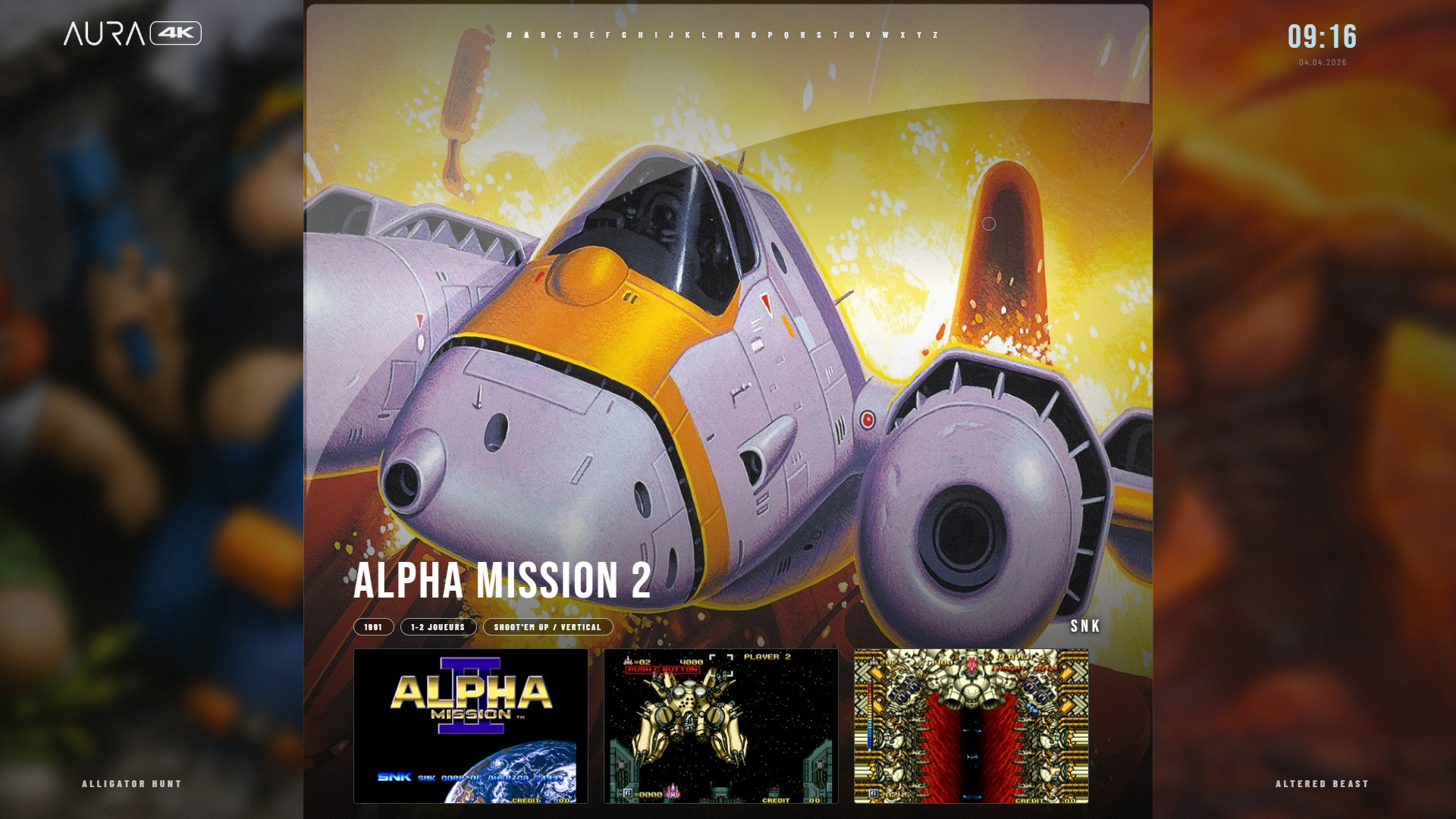
I am currently working on a gaming frontend
How it works
The project is built using Electron (Node.js, HTML, CSS, JavaScript) and works as a launcher.
The frontend allows:
- displaying games with visuals and metadata
- smooth navigation through the library
- launching games directly through RetroArch
When a game is selected, the frontend sends the ROM path to RetroArch along with the appropriate core, then launches the game in fullscreen. When the game is closed, the user returns automatically to the frontend.
Important: the frontend works only with RetroArch.
Game management
Games are loaded from an XML file containing metadata such as name, year, players, and genre.
Only enabled games are displayed, and all data is used to dynamically build the interface.
Interface
The interface includes:
- smooth navigation between games
- animated transitions
- dynamic display of images and screenshots
- a UI optimized for 1080p / 4K screens
Everything updates in real time based on the selected game.
Audio
The frontend includes:
- UI sound effects
- game-specific background music
- real-time volume control system
Controller support
The project is fully playable with a controller:
- navigation using stick or D-pad
- buttons to launch games, go back, or open the menu
- optimized input handling
Options menu
An options menu has been recently added (still a basic version).
It already allows:
- volume control (music and sound effects)
- display settings (fullscreen, FPS limit)
- interface customization (grain, cursor, color)
- language selection
- transition speed
All settings are saved and applied in real time.
More options will be added progressively as development continues.
Project status
Current state:
- working frontend
- smooth navigation
- RetroArch integration
- first version of the options menu
In progress:
- adding more options
- improving UI/UX
- performance optimization
- multi-system support