You are right here.
You should include the original interlace pass, if you want it’s functionalities, but a stock shader or any effect shader with regular RGB output with an appropriate alias (InterlacePass) will work also.

You are right here.
You should include the original interlace pass, if you want it’s functionalities, but a stock shader or any effect shader with regular RGB output with an appropriate alias (InterlacePass) will work also.
Greetings @Guest.r I’ve been trying to optimize my shader chain to make it as efficient as possible without altering it’s visual output. I know the stock pass is supposed to be just a passthrough shader. Claude AI suggested that it was safe to remove the stock pass #9 across my preset pack.
I would like to know if there are any potential downsides to this and what was the original intended purpose of including this stock pass there in the first place?
Claude AI’s output:
I traced every one of the 19 passes’ actual data dependencies (not just guessing from names) — who reads whose output, which passes need feedback/history, which need specific resolutions.
 Verified safe: Pass 9 (
 stock.slang , aliased “PrePass”) is dead weight.
It’s a pure 1:1 copy pass ( FragColor = vec4(texture(Source, vTexCoord).rgb, 1.0) ) whose only purpose is to expose its output under the name “PrePass” for later passes to sample. I grepped every downstream shader this preset actually uses (the -ntsc / -new variants) and none of them reference “PrePass” by name — they all read “NtscPass” (pass 8’s alias) directly instead. This is a leftover from a more generic version of the preset. I also confirmed pass 10 ( avg-lum-ntsc , the very next pass) already independently requests the same mip/filter settings pass 9 was providing, uses only .rgb (not alpha), and pass 8 already outputs alpha=1.0 same as pass 9 did. Deleting this pass is 100% output-identical. → 19 passes → 18.
On another note, would it be possible for you to add a 3rd “true” BGR Mask Layout option in addition to the current RGB and RBG which are less than optimal visually and in terms of subpixel and subsequent phosphor appearance on my BGR display?
I have collected several photos pf the screen which I can share if you need further visual confirmation of the “issues” with using the “wrong” subpixel layout at least in my case.
Is this a thing that can actually be done??? :o
This was with my extended mip-map testings when i implemented the “redundant” stock pass:
If a pass had mip-mapping enabled, then sampling from a smaller buffer size (which the custom-fast-sharpen.slang does, as it has some pre-sampling included - namely the ntsc shaders scale 2x horizontally later), then texture sampling always blurred the image output. Claude can be a wonderful tool, but it’s lacks real-time and first hand testing abilities in regular cases IMO.
So this stock pass saved the situation, it was not like a part of an experiment and then forgotten by coincidence. 
So to say, a pass with usable and active output produces blurry sampling in RA with relevant drivers if it has mip-mapping enabled. The stock pass does not produce usable products besides for the avg-lum-ntsc.slang in which it’s referred as Source.
Long story short, a referenced pass with mip-mapping enabled was a no-go for further passes.
It should not matter too much with aperture masks, but it would make slot-masks out of alignment in many cases - most current RBG masks (zoom included) work as intended, some have some special hacks on it.
The R, G and B sequence when comparing ‘RBG’ and ‘BGR’ is identical, it’s only shifted. So the panel interaction should be the same.
But you can test it yourself in deconvergence passes:
deconvergence-ntsc.slang, line 512:
if (mask_layout > 0.5) mask = mask.rbg;
Just change .rgb to .gbr.
or replace with:
if (mask_layout == 1.0) mask = mask.rbg; else
if (mask_layout == 2.0) mask = mask.bgr;
And increase mask_layout parameter upper range to 2.0.
This is quite interesting. How would I know which shaders are optimized and which aren’t? Is this a trivial optimization? Is it something that can be coded into a separate shader or incorporated into adaptive-strobe-koko itself?
I’m guessing that this applies to any shader appended at the end of the chain as well?
This sounds really amazing! I’d like to see this kind of optimization everywhere!
Thanks so much for this @guest.r, just sharing this little snippet of code has opened my eyes tremendously and has demystified quite a bit concerning the structure and syntax of slang code.
I’ll only be able to test later but I have already made changes to the file, however, I chose approach B and I added BRG one time just for good measure.
Is there anything I should be concerned about with respect to line 783:
`if( zoomed ) { if (mask_layout < 0.5 && bsm_offset) sm_offset = 1.0; else if (bsm_offset) sm_offset = -1.0; }`
Since it is based on conditions which consider only the first two Mask Layouts 0 - RGB and 1 - RBG, would this line or section of code need to be expanded to take into consideration the new variables/scenarios posed by the new, additional Mask Layouts?
There was a lot of testing involved, also a line above is a part of these adaptations. Just want to say that in general the relative RBG and BGR layouts favour and “dislike” same panel types. BGR would need a set of slotmask specific hacks though - with lots of testing involved.
One can add multiple layouts, the only limit is relevancy. And it’s to be minded that layouts which produce the same sequences, only with shifts, are more or less to be considered as a “same thing” unless the TVL is unrealistically low.
Can you elaborate into simpler language please? I don’t want to pretend that I’m 100% sure I know what you’re talking about. I know in the past I’ve read that you can’t use a literal 1:1 RGB Mask Layout with a display that has an RGB subpixel layout and that the mask needs to be reversed. Firstly, is this correct and secondly is this what you’re referring to above?
I don’t mind doing some testing if it might help me get cleaner, more 1:1 looking subpixel masks on my display.
It’s just about panel subpixel shifts:
RGB:  RGBRGBRGBRGBRGBRGBRGBRGBRGBRGBRGBRGBRGBRGBRGBRGBRGBRGB
RBG:  RBGRBGRBGRBGRBGRBGRBGRBGRBGRBGRBGRBGRBGRBGRBGRBGRBGRBG
BGR:  BGRBGRBGRBGRBGRBGRBGRBGRBGRBGRBGRBGRBGRBGRBGRBGRBGRBGR
It’s definitelly as close as could it be to “same thing” (RBG and BGR) on panels with horizontally aligned subpixel triads.
It eludes my imagination a bit (without testing) how it affects non horizontally aligned layouts like
So i’m not rushing to offer some solutions, maybe even BRG is relevant…i guess some feedback is needed first.
The case of RWBG WOLED displays shows us that at least for those panel types RBG and BGR are not interchangeable.
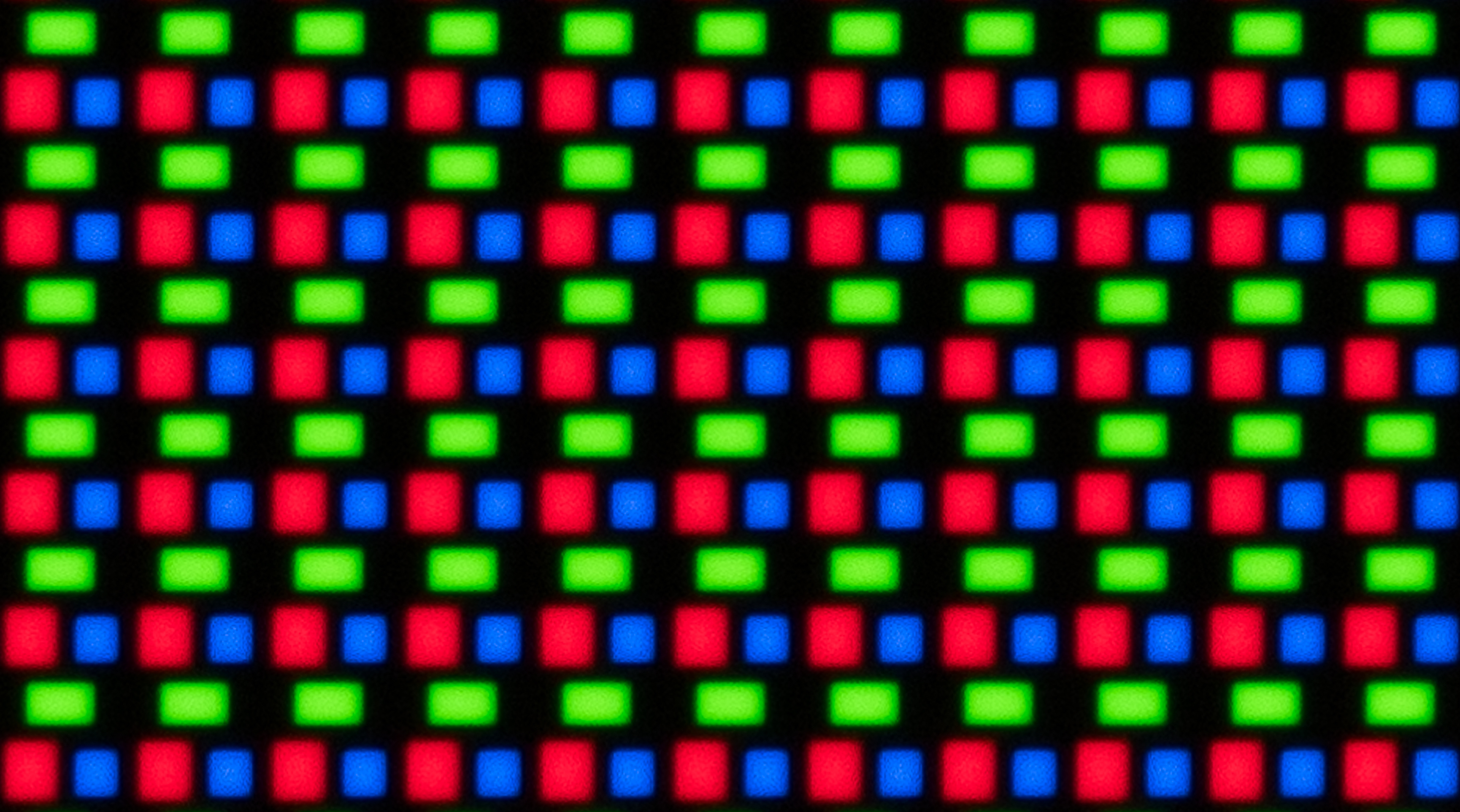
In my case, from the photos I took and my observations, RBG looks like Magenta/Green on my display, which led me to question my display’s subpixel layout. I resorted to using the RGB layout, however on closer inspection this seems to produce tight clumps of red green and blue subpixels flanked by proportioally larger black gaps where everything is supposed to be evenly spaced.
Now that I have edited the Mask Layout options, further testing and confirmation is sure to follow.
As far as whether or not BRG is relevant, we’ve already documented how poorly WOLED displays can perform when paired with the “wrong” subpixel layout. My extensive testing has confirmed this, xxxx’s frustrations with his 1440p WOLED panel confirms this as well as @PU786’s initial photos also suggest this, however we need to get further confirmation since his display might have inadvertently been in ycbcr422 colour fdormat.
Based on what we’ve been seeing so far, it is not far fetched to at least hypothesize that the subpixel order in the mask can have a significant impact on whether or not the mask is rendered correctly or a garbled mess, at least or especially on WOLED displays.
If anyone wants to test it, here is the modified deconvergence-ntsc.slang (2 more layouts added).
It’s just to be copy/pasted into the right folder after extraction.
Thanks @guest.r, I was literallyt working on the same thing and about to share what AI proposed for the Shadow Masks:
if( zoomed ) { if ((mask_layout < 0.5 || mask_layout > 2.5) && bsm_offset) sm_offset = 1.0; else if (bsm_offset) sm_offset = -1.0; }
I hope I’m not frustrating you with my “slowness” but I noticed that you used GBR for Mask Layout 3 instead of BRG. I’m assuming this 4th layout is supposed to address BWRG/WOLED.
Since RBG works properly for RWBG/WOLED (but BRG does not), why did you stray from BRG?
Forgive me for thinking that this is an enlightenment classroom but I find all of this quite interesting.
If I recall correctly, @azurfel used BRG subpixel layout for his Adamantron fork of Sony Megatron Colour Video Monitor to add tentative support for BWRG/WOLED.
Update, seems like he included BRG as well as GBR and a host of other possibilities for mask layouts as well as the kitchen sink.
OK now the 4th layout (3.0) is BRG.
GBR wasn’t intentional?
This is a snippet from @azurfel’s Adamantron fork. It includes a host of other combinations, probably for contingency and testing purposes. I’m just trying to understand the reasoning behind the choices.
#define kBGR              ((kBlue  << 0) | (kGreen << 4) | (kRed  << 8))
#define kGBR              ((kGreen << 0) | (kBlue  << 4) | (kRed  << 8))
#define kRGB              ((kRed   << 0) | (kGreen << 4) | (kBlue << 8))
#define kGRB              ((kGreen   << 0) | (kRed << 4) | (kBlue << 8))
Anyway, @guest.r, thanks alot for your precious time today. A lot was accomplished. Now off to playing and testing. The next thing I would like to do for my shader stack is to integrate adaptive-strobe-koko into my final pass, which happens to be Phosphor Persistence.
@kokoko3k, any ideas?
There are 6 permutations and 2 different sequences possible. There is no other major science behind it. The real thing begins with testing with a display with an exotic panel, which i do not posses. So it’s gotta start somewhere. At the time being expanded layout options only make sense for testing.
Initial test results:
Mask 6, Size 2 RGB/BRG and RBG/BGR look very similar, just shifted.
While with Mask 12, Size 1 each mask layout appeared distinct. There was a huge difference between RBG and BGR, with RBG’s blue emulated phosphor looking half as wide as the Red and Green emulated phosphors.
With RGB, the blue phosphor appeared dark, almost like navy blue.
BGR looked the best. Pics should follow when I get a chance.
On another note @kokoko3k, I was able to roll adaptive-strobe-koko into hdr.slang with the assistance of AI.
I added BRG equivalents to the mask patterns that were already included for the various combos of RGB/RBG/BGR, resolution, and TVL, under the existing system inherited from Megatron v2.
The define section also includes patterns to support the equivalents for GRB and GBR subpixel layouts. But as you may recall from discord discussion, i found that actually adding those subpixel layouts caused notable performance issues, even on my desktop 2080, so they were not included in the beta release.
Note, when I said I was trying to understand the reasoning behind the choices I was equally thinking about why Guest.R might have chosen GBR initially for the 4th Mask Layout.
I used the layouts in your fork as a point of reference. Guest.r opted to substitute GBR for BRG.
It was only on going through the Adamantron fork that I noticed the long list of subpixel mask possibilities included. I didn’t realize that they were not all active. On seeing that you also had a GBR mask, I was wondering about the reason for it in both instances.
Ah. GBR is used for RBG/4K/800TVL, for both aperture grille and slot, in both Megatron v2 and Adamant. Not even one that i added