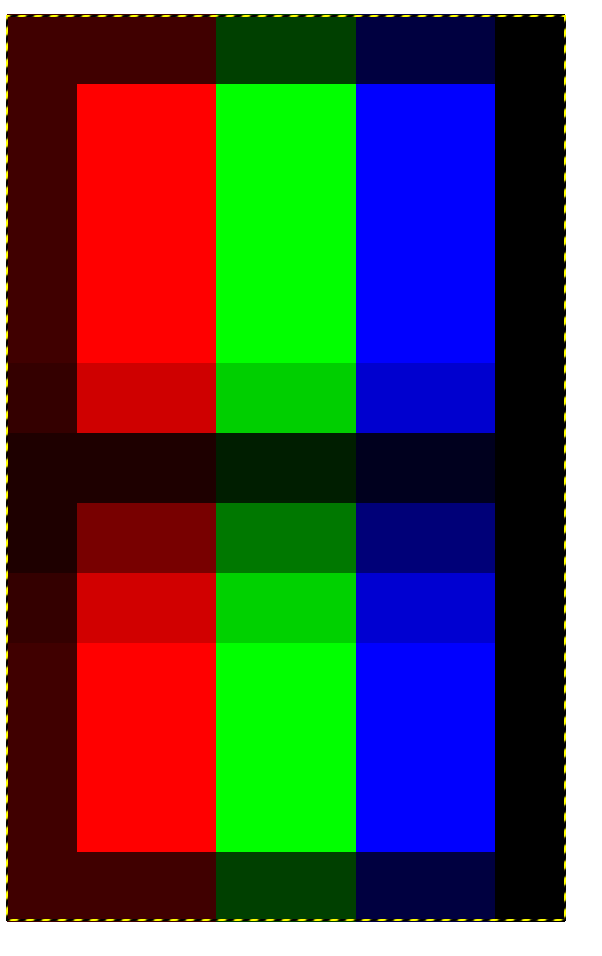
Quick demo using an overlay to illustrate what I’m talking about, but I can’t get it to line up with the triads correctly- it’s like there’s a single pixel border at the edge of the screen, so the overlay gets shifted by a single pixel (is this something the shader is doing, or do I need I need to check my video output settings?)
No overlay
Add overlay, darken every 7th pixel. Mask low/high 75/100, Overlay 75
The overlay helps to preserve the slot shape and just looks nicer in general (especially closer to the screen). Unfortunately, it’s not lined up correctly with the triads (shifted by 1 pixel horizontally). Overlays are annoying, it’s better to do this with a shader 
Currently, the vertical black lines and horizontal black lines that comprise the slot triad get altered by different amounts when you adjust brightnesses, blooms, glows, mask strengths, etc. For better looking and more accurate results, the horizontal black lines and vertical black lines comprising the slot should be of equal strength. On a real CRT, they’d always be 100% black no matter how bright the phosphors are shining, but we have to mitigate this on an LCD. We can get better results if the black lines defining the slot triad are all of a roughly equal and consistent strength.
This might require an additional “mask” to be added, and would work with those masks containing a black pixel (MGX, RGBX, RYCBX, RRGGBBX). The code would simply be: darken every 3rd, 4th, 5th, or 7th pixel by 0-100%.