
Here are some macro shots of Wii Sports running on an LG 55OLEDE6P using CyberLab Mega Bezel Death To Pixels Shader Preset Pack.
The first ones are using CyberLab Wii, which uses Mask 6 at size 2, while the others use Mask 7 and 8 at different sizes.
The last set uses Mask 6 size 2 with aperture grille layout followed by Mask 7 and 8 at various sizes.
This could be the final verdict on the accuracy and capability of WOLED TVs to depict RGB phosphor triad emulation properly.
So far it doesn’t seem like they can. However this doesn’t mean that WOLED TVs aren’t exceptional at displaying my shader presets because at normal viewing distances they are the best I’ve ever seen.
My experience though is limited to a 4K IPS TV that can only display YCbCr 4:2:0 colour at 60Hz and a 1080p VA TV that can display RGB 4:4:4.
All three do a decent job in its own way and each of them has its shortcomings.
I know the pics aren’t properly labeled. I’ll try to do that when I get a chance.
So it’s quite possible that the best TV to use with my presets might be a 4K IPS or QLED/Neo QNED with MiniLED Full Array backlight and as many dimming zones as possible to minimize blooming.
Dual Layer seems to be dead on arrival as Hisense can’t get the main and backlight control panel synchronization tight enough while WOLED also suffers from sub-optimal subpixel layout.
Too bad no one seems to have one of those shiny new MiniLED QDLED/IPS TVs to share there experience so far.
I’ve also heard that some of the newer Samsung TVs (could be MiniLED, I’ll have to confirm) are having some severe issues with their auto dimming algorithms.


Sonic The Hedgehog Sega Logo, White Background
Mask 6, Size 1


Sony Megatron CVM SDR


Apparently not all WOLED (RGBW) TV’s subpixels are the same after all. From the 2018 models, LG Display increased the size of the red subpixel by 80% as a burn-in reduction feature.


New Subpixel Layout/Order confirmed for 2025 LG Display RGB Tandem OLED display panels. Might also apply to other RGB Tandem OLED displays already on the market.
LG also changed the subpixel layout. Instead of the RWBG layout they’ve been using since they first introduced their OLED panels, the G5 is different. It looks to be an RGBW layout, but the first subpixel is blue, so we’re classifying it as a BWRG layout. If you want to see a closer look at this new subpixel arrangement, we took a video.
https://www.rtings.com/videos/pages/dKYx9vCH/pixel-video.mpd?autoplay=false&autoload=false

https://www.rtings.com/videos/pages/dKYx9vCH/pixel-video.mpd?autoplay=false&autoload=false
@guest.r, @Azurfel, @hyllian, @hunterk, @MajorPaintheCactus
This could be another game changer alongside with its extra brightness. Can you make note of these improvements and do you have a better understanding now of how and why it’s possible for the current OLED and BGR mask layouts of Sony Megatron Color Video Monitor and CRT-Guest-Advanced to seemingly map properly with LG’s WOLED display subpixel layouts?
I.e. I’d like an analysis as to how the special OLED mask in Sony Megatron and the BGR (RBG) mask in CRT-Guest-Advanced happens to line up seemingly correctly on the previous WOLED displays.
I have long suspected that there’s some offset taking place and the subpixels are being lined up as if the first subpixel was the one after the white subpixel, therefore making one emulated phosphor triad consist of subpixels from A and B pixels of the screen as opposed to subpixel being able to map 1:1 on other display technologies.
I’m hoping that this can be explained, for scientific, documentation and preservation purposes and to make it easier to implement any required update to support the new subpixel layout in the tandem OLED panels.
I don’t have answers to your questions, I just wanted to point out that, as far as I know, this is the third subpixel layout from LG.
- The RWBG layout they’ve been using in their TV panels. (And some older monitor panels?)
- The RGWB layout in some of the new monitor panels.
- Now this BWRG layout in the G5 panel.
They are supposedly working on RGB (no white) layout panels for future monitors (source here, all the way at the bottom).
Is this summary missing anything?
This is how bad things can look when the subpixel layouts in the CRT Shader and the Display don’t align:
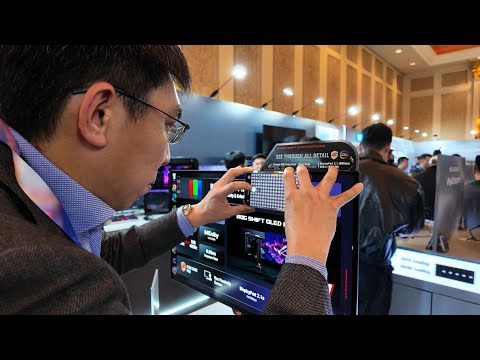
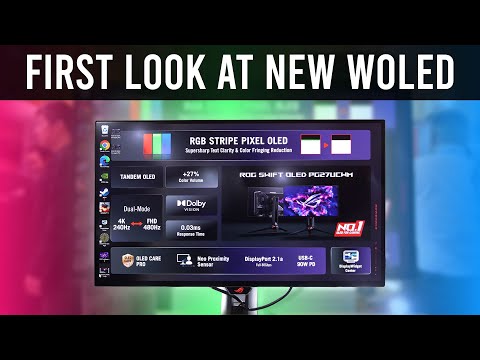
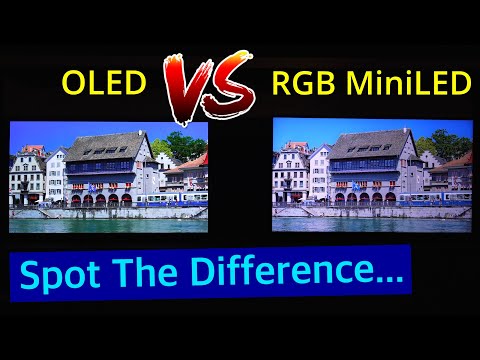
Sure! To keep things nice and tidy, we can post the results and further discussion here:
These tests require the SNES 240p Test Suite available here:
https://artemiourbina.itch.io/240p-test-suite
and CyberLab Megatron miniLED Death To Pixels 4K HDR Shader Prest Pack available here:
Instructions:
Load the 240p Test Suite, load one of the CyberLab Subpixel Layout Test presets, then take a few close/macro photos of some grey or white areas of the screen showing the individual red, green and blue subpixels (or whatever colour they appear to you) in the CRT Shader Mask clearly. Do not take a photo of the full screen or large sections of the screen.
Do not adjust the presets. Use as is.
Do this for all test presets, labelling screenshots accordingly.
Tips:
You can use Pro/Manual Mode on your camera/camera app. Stabilize camera/phone. Shutter Speed 1/60 or 1/30, ISO 50 to 250, Manual or Auto Focus, WB - Auto, 5,000K or whatever matches the screen output best.
Ideally, you want to do this in dark room with all lights off except the light emanating from the TV.
For further photography tips you can read this:
Click the link below to Download:
CyberLab Subpixel Layout Test for CyberLab Megatron miniLED Epic Preset Pack

These are what the photos of the screen should look like:
This below here is fine:
What Azurfel did here was excellent but we’re taking it one step at a time so just focusing on what’s in the test presets. Let’s see how the tandem OLED renders them, then I’ll try sending some alternative Subpixel Test presets with different Mask Layouts for you to test if necessary.


Just to further consolidate what we’ve been observing and learning about OLED subpixels and how they work, I’ve zoomed in on some of Azurfel’s excellent photos of his RWBG/WOLED panel.


If we observe carefully, we can see a larger gap between the red and blue subpixels compared to the gap between the blue and green subpixels. This is due to the presence of the white subpixel which resides adjacent to the red subpixel.
OK here we go Cyber…I literally busted my ass to get these, I hope they’re satisfactory because it took me a couple hours and just eugh. x.x
I could not a single thing to get my shots to come out like the above post. @Azurfel
Panasonic Z95B (allegedly sourced from the LG G5)
===Megatron v2=== RGB 300:

RGB 600:

RWBG 300:

RWBW 600:

===Adamantiumtron=== BWRG 300:

BWRG 600:

===Guest Advanced===
And just because this mask actually works and looks good and natural… Mask 0 Size 3 Layout 0 Strength 0.98

Mask 0 Size 3 Layout 1 Strength 1 (doesn’t look as right color wise to me)

Mask 0 Size 3 Layout 1 Strength 1 (feels like I can see magenta/green fringing on white text)

Bad news Cyber. I missed your Test download above. x.x I think I had downloaded it before and forgot. eugh
I wish Libretro.com would let me format my posts as I write them.

I’ll still do the pictures from your test shaders if you need them.
@Cyber Double Bad News: none of the tests will load from the Shaders folder, tried to follow that readme but D: Oh, just test 2 and 3 no worky.
Test 2 had the word Screen instead of Layout. Fixed. Can at least say Test 2 looks the more color accurate out of the 3. (none of them look right to me)
I’m actually pretty convinced that the triads are supposed to be Layout 1 instead of Layout 0… It gives the distinct, tiny black gap in all colors for the TVL’s. But the colors just go so wrong.
Am I confused on the way TVLs are supposed to work? Like I look at the Vectorman story sequence, right after you press start at the title screen. The purple line in particular, doesn’t have distinct TVL’s without Layout 1. Many other places in every game are like this, so am I supposed to value distinct TVL’s or accurate color? I’m sure Cyber remembers my first screenshot where I valued solid colors in a single color background thinking TVL’s and Scanlines shouldn’t appear in that space. lol
Or, is this just a function of switching from Magenta/Green to Yellow/Blue?
Sorry to gum up the thread, but I suppose it’s pertinent to G5/Z95B’s. MG vs. YB at Size 3 really seems like our best bet.
Wow! Thanks for the effort. Are you using an iPhone or something? If so, I think folks have had better luck with third party apps.
Did @Azurfel already release his update with the new experimental BWRG layout?
This is not alleged. It is fact that all WOLED displays are manufactured by LG Display.
That wasn’t necessarily expected because the idea was to test the display with the 3 existing Megatron Subpixel Layouts, then analyze the results. Then from there test the BBRRGGX, GGRRBBX, BRGX, GRBX, BRG and GRB Layouts which I would have provided to you.
The test was designed to be relatively simple to run and to remove anomalies like additional subpixels, including the white subpixel, which seems to be visible in most of the photos you shared.
Zoomed in the photos don’t look too shabby. It’s just that there’s a lot going on in terms of additional subpixels. My test presets use Mask Accurate Mode so only the Red, Green and Blue subpixels will be lit, no white subpixels at all and also no additional red or green subpixels outside of the ones specified in the mask layout would be lit in an attempt to colour the phosphor primaries as accurately as possible. Mask Accurate attempts to “draw” the Phosphors as accurately as possible.
Those photos look “Colour Accurate” and not “Mask Accurate” which is what I’m looking out for.
It was v2. There’s only Mask Accurate (as far as I understand v2). And furthermore, I made sure Mask Accurate was enabled for the BWRG ones because I know we don’t care about Color Accurate.
Any insight to my Mask Layout 0 vs 1 confusion? Here, have a test romp and see if on your side it does similar things. https://www.mediafire.com/file/70spt8di06mfi6o/CyberFork-Sega+Genesis.slangp/file
Wouldn’t it be easier to just run my prepared tests? If the iPhone camera is the stumbling block then you can let us know so that we can understand and know what to expect. I already provided a controlled environment in order to gather the relevant data, why would I want to stray from that and go all around the place?
I’m not saying I won’t entertain running your tests but surely we are beating around the bush when all we need to confirm are some clean 300TVL or 600TVL close up photos of something white or grey running BBRRGGX, BRGX and BRG Mask Layouts and as a bonus, GGRRBBX, GRBX or GRB Mask Layouts.
That’s all. The photography instructions have been provided. I understand that not everything is as simple for everyone depending on whatever mitigating circumstances one might be faced with.
It’s an Android. Pro mode was just blurry that close, and further enough away to be sharp couldn’t make out the subpixels.
I see why the white sub pixel was on however, I accidentally had my Luminance at 100 instead of 70 like usual. (had been thinking my TV was suddenly very bright the last handful of days)
I checked the timestamps and it took me literally almost 3 hours to get what I got+post it. I don’t have help, and it’s pretty annoying to do what I have to do to get these shots. I’ll try again because I messed up on both of your instructions…but don’t get your hopes up on it not being another disappointment. : (
Now that I’ve messed around with all these tests and shaders, and see it all still looks pretty bad, my motivation is going to pretty much be done after the next set of tests.
BUT I am still motivated and happy to do it once more. I definitely don’t see what you guys are seeing and I’m fine to put up one more proper go around. It’s possible these are not the subpixels my set is looking for, in another caste, etc.
Hopefully one of those alleged G5’ers will come around to post pictures as well. With this alleged BWRG panel.
So what I’m going to do, is load your three? test files and get 300TVL shots, and that’s good enough?? And @Azurfel’s test slang files as well. And then I’m done. (I’ll wait for him to prepare any further sets for this.)
Don’t despair. what you need is some way of stabilizing the camera/phone. once you can do that, you can then decide whether or not Auto or Manual focus is better for you. You don’t necessarily have to be at macro photo distance. Just whatever is the closest distance, you can get clear, in focus photos. You can always crop and zoom in after once the photos are clear enough and not overexposed as well. For the level of detail we are trying to capture use as low an ISO as possible.
I don’t know how the white subpixel got activated. It shouldn’t be in play if using Mask Accurate Mode. I took a step back from the Megatron V2 testing and development so I can’t tell you what bugs or quirks it might still have in there or even how it might be expected to look with certain settings. This is another reason why I went with tried and tested v1 for my testing which is what I know inside out and what the expected output should look like. I am also sure that Mask Accurate Mode is Mask Accurate. I now use the new developments with CRT-Guest-Advanced.
I also know how to modify the subpixel layouts in Megatron v1 so that would have been part 2 of my testing. I didn’t want to have you testing too much at once to cause any confusion.
Maybe @Azurfel might have some more insight or suggestions as to why the white subpixel turned on in your shots. I think your very first attempt at providing photos on these forums had at least one good example using the RWBG Mask Layout. That didn’t seem to have the white subpixel turned on.
So what is expected and hoped for are photos showing subpixels with only red, blue and green active. no mixing of colours, no additional subpixels and definitely no white subpixel.
If it’s too much to do, don’t worry. You can play around with Azurfel’s new addition and just use your eyes to judge. You’re supposed to see some sort of even phosphor triad is it has worked correctly if you go all the way up to the screen.
I’ll see if I can give you another example later on.
I’ve never seen the white subpixel activated by Megatron or Adamanttron until now period, and i used Colour Accurate and forked from 2.6.1.
Unfortunately it may just be that differences in the Panasonic’s software make HDR CRT shaders not work, or brighter modern WOLEDs just don’t work as well as the C1 and similar panels did.
I’m going to roll up a version with all 6 subpixel layouts for @PU786 to test later today, just in case the commonly reported layout for the Z95B is wrong.