
>> Koko-aio needs at least Retroarch 1.18 to work <<
Version NG-1.9.101 is up on github and should be available via online updater in Retroarch.
Hi guys, first post here. In the past I made a shader for FS-UAE (Amiga emulation), but since i found that retroarch has a pretty good support for whdload games, I ported it to slangp so that it can be used with other emulators too.
I’m not that expert with technical terms, but i’m fortunate enough to own an old 15khz slot mask crt monitor inside an arcade cab loaded with Advance mame and other old emulators, so I used it as a reference. Why using a shader, you may ask, instead of the almost “real thing™”?
Actually that thing is big, heavy and power hungry and since it is running on an old AthlonXP i expect it to break sooner or later and i’ll not have spare time to fix, that’s for sure. Also, i’ve finally got an awesome oled 4k tv and i think that with that amazing (low) pixel persistance and resolution, we can get pretty damn close to the “real thing™”
One of the main goal of this shader is to be usable on integrated GPUs.
Granted, don’t expect it to run on a Raspberry pi, but the actual target is
Intel Haswell, the one on which I develop it, where it perform with all the features
enabled, when dealing with 240p content, on 1080p at resolution ad about 85/90fps.
Click to read features (outdated)
- Scanlines
- Screenlines
- RGB phosphors
- RGB deconvergence
- NTSC/PAL CVBS color bleeding
- Aperture grille, slot mask, shadomask.
- Input signal glowing
- Output signal glowing
- Blooming
- Gamma, contrast, saturation, luminance, color temperature adjustments
- Black frame insertions through alternate blanking
- Interlace flickering, forcing and emulation
- Antialiasing
- Curvature
- Ambient lights
- Vignette and Spotlight
- Bezel (Thank you HyperspaceMadness for allowing me to rip his automagically generated bezel!) https://github.com/HyperspaceMadness/
- Background images
- Full screen glowing
- 3D rotation/tilt
- Integer scaling
- Background image Night mode
- Support for backdrop images for BW game/CABs that use mirrors
- NTSC emulation with selective artifacts smoothing
- Temporal bloom
- RF Noise
- Dot matrix display emulation with grid, shadow and motion blur (gameboy mono)
- Monochrome display “colorization”
- TATE mode
Click to read relevant changes over previous releases
v1.9.101 NEW:
- Adaptive strobe: Add experimental parameter to apply it just to changing areas.
- Add xbrx upscaler.
- Add a file based plugin system (now used in lcd antighosting and adaptive strobe)
- Add a leds plugin (currently used by Denise emulator)
- Add a lottes-like shadowmask preset (Monitor-Lottes-ShadowMask.slangp)
CHANGES:
- Presets tweaks
- Allow “static” (RF like) noise, just use a negative strength parameter.
FIXES:
- Diorama shadow, make it not dependant on input resolution
- Warpedglow strength must not depend on input resolution
- FIX regression, bg_under is supported again
- Ambientlight: prevent glitches when final view final viewport size changes.
- Screen shake speed: scale by total subframes
- Dot matrix ghosting: scale duration by subframes
- pixel persistence: scale duration by total subframes
- persistence: scale by total subframes
- breathing: scale by input fps and total subframes
- Adaptive black: scale by input fps and Total Subframes
- Ambientlight speed: Scale by input fps and total subframes
REMOVED:
- Removed old/inactive/dead code.
- Remove support for long time deprecated config-user.txt
- Remove Slotmask(fake) width override parameter (PIXELGRID_OFFSET_CORE_W)
PERFORMANCE:
- Great speed increase for all supported antialiasing and upscaling methods.
Useful links
- Make sure to read the docs!
- Main development done on this Github repo
- Stable releases should be available through Retroarch’s online updater
(shaders_slang/bezel/koko-aio/) or here. - Click here if you want to try the latest in-develompent shader and unpack the zip somewhere inside your -already in place- shader directory.
I do not ensure you it will work as expected nor that your cat will be safe. - Texture “source” projects for main monitor frame/bezel and other misc files has been moved to another repo to lower the download size.
- More presets and additional artworks: koko repo || estefan3112 repo || Starman99x repo || Duimon repo
- If you want to boost your fps and you don’t mind tinkering with text files, take a look to the file config-user.txt in the shader folder and follow the instructions; on intel IGPs, I’ve seen fps boosted by 45%.
Please, tell me what you think, any comment is really appreciated.
Dynamic room lights (immersive preset)


Hires content

Overmasked

Antialiased

Mask experiments


Handhelds


Ntsc selective blurring and sharpening

monitor-Commodore_1084S-Night

monitor-slotmask-bloom-bezelwider - Arcade - Final fight
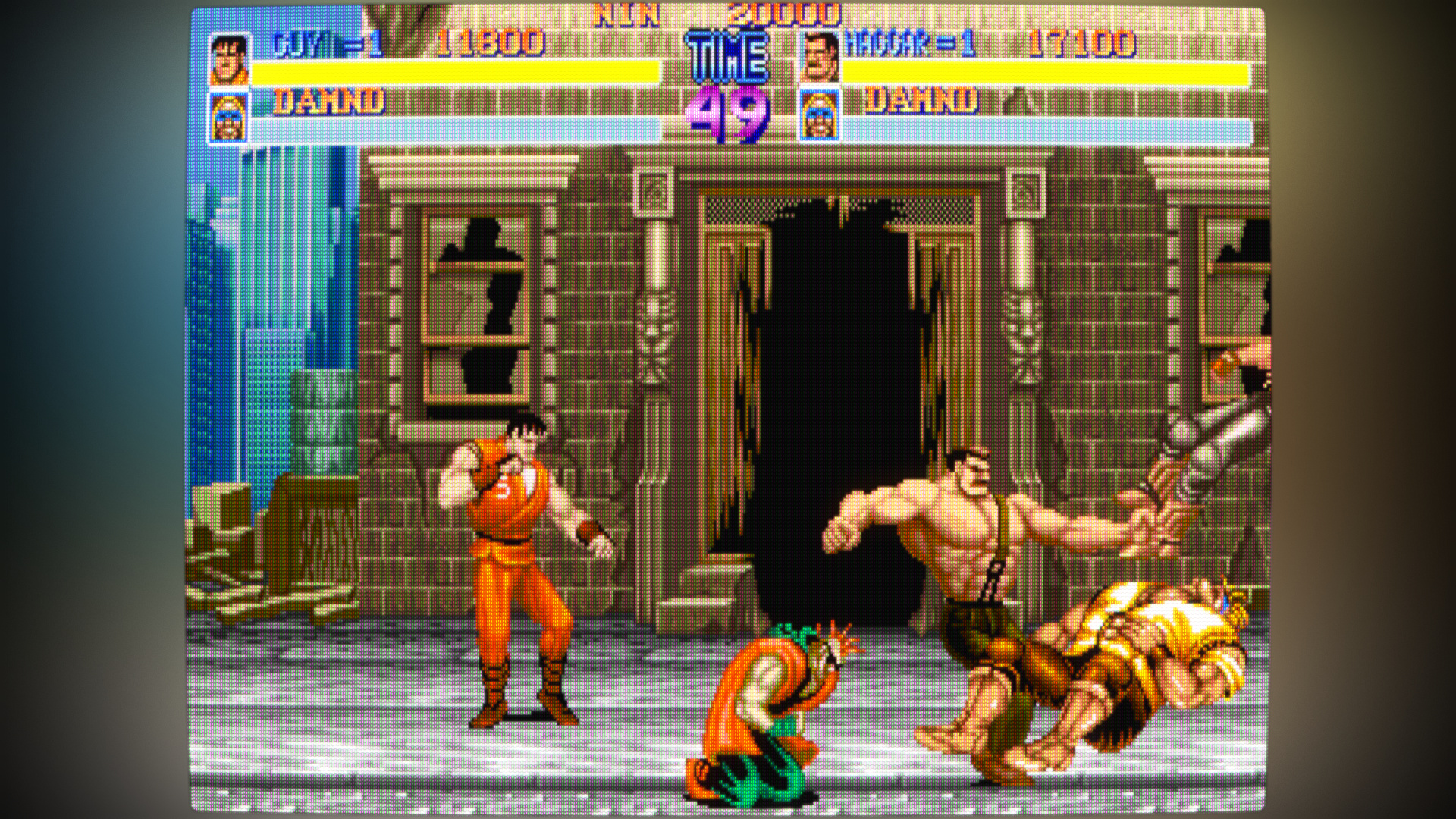
monitor-Commodore_1084S-wider - Amiga - ProjectX SE

tv-PAL-my-old - Master System - Trans Bot

tv-NTSC-1 - Genesis - Sonic 2

tv-NTSC-2 - Snes - Aladdin

tv-aperturegrille-bloom-bezel - Amiga - Leander

gameboy_mono_colorized.slangp - Gameboy mono - Super Mario Land


